Where your data lives
- Qwibie runs on Google Cloud.
- Your board's records are stored in a managed Google Cloud SQL database with automated backups and point-in-time recovery.
- Data is encrypted in transit between your browser and Qwibie and between our services, and encrypted at rest in our database and file storage.
These controls cover the Qwibie app your board signs in to, not this marketing website.
Who can see it
- Each organization's records are kept separate from every other organization's at the application level.
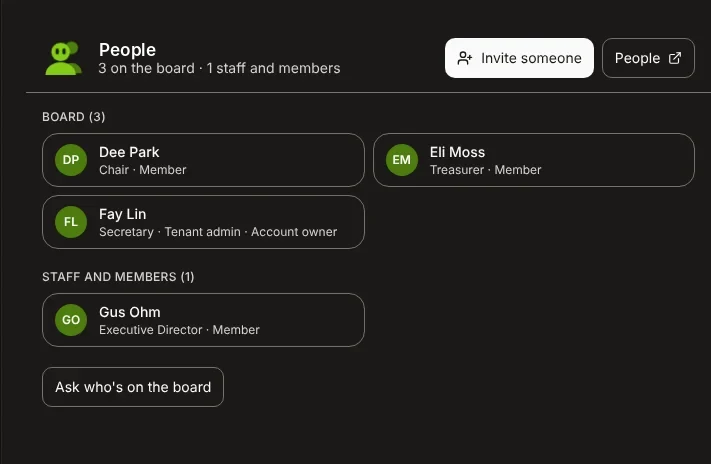
- Inside your organization, access follows each person's role.
- Your board's administrators decide who holds which role.
How Steward's AI is governed
- Steward prepares
- Your people review
- Your board decides
- Steward is an AI assistant, not a person. It doesn't vote, approve or sign for your board.
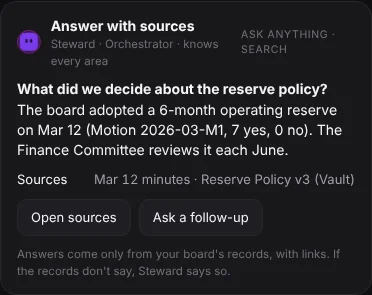
- When Steward answers from your board's records, it shows its sources so anyone can check the answer.
- We don't use your board's data to train AI models.
The AI models behind Steward
Anthropic (Claude)
Steward's answers, drafts and most AI features.
xAI (Grok)
Steward's voice, turning speech into text and speaking replies, and some writing help.
Google (Gemini)
Reading scanned documents and statements.
Voice and AI note-taking
- When you talk to Steward by voice, or call Steward's phone number, your voice is sent to xAI so Steward can understand you and answer aloud.
- These conversations may be recorded and transcribed, and Steward keeps the text in its history, like a typed chat.
- When an officer turns on AI note-taking in a meeting, Steward's tile says so in the room, guests see a notice before anything they say is included, and phone callers aren't included.
- Steward turns what's said into notes for the minutes draft, and the secretary reviews them.
- Qwibie doesn't store the audio, and the text taken from speech is deleted when the minutes are approved, or after 30 days.
Every vote, on the record
- The vote opens and its wording locks
- Each member confirms it's them and votes
- Every vote is added to the record
Each member, their own link
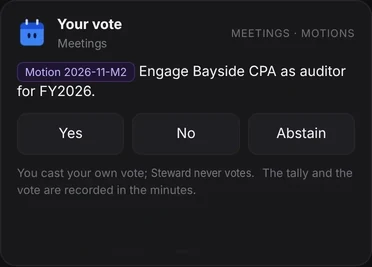
Between meetings, members vote through a personal link after confirming it's them: signed in to Qwibie, or with a one-time code by email.
Opening isn't voting
Opening a ballot isn't casting it. Nothing counts until the member submits.
The wording can't change
Once a vote between meetings opens, its wording and fingerprint can't change, so members vote on exactly what was proposed.
An append-only record
Votes between meetings join an append-only, hash-linked record, and the app's database is set to refuse edits and deletions of those votes. Members who vote by link see their vote's fingerprint and get an email receipt.
People decide
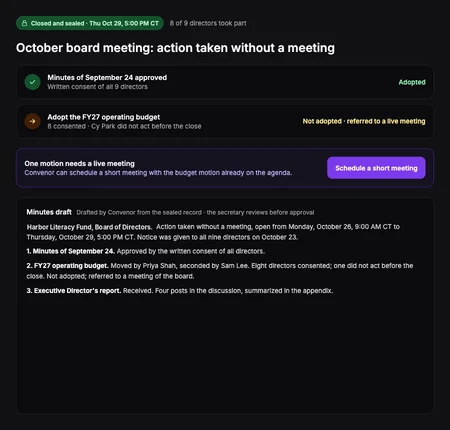
People open every vote. A vote between meetings stops accepting votes at its deadline, and votes in a meeting are locked when the meeting is sealed. Steward helps prepare but never votes.
In your System Log
Creating, opening, closing, editing and canceling a vote are each recorded in your board's System Log.
Signed minutes you can check
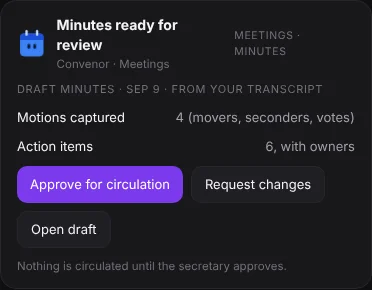
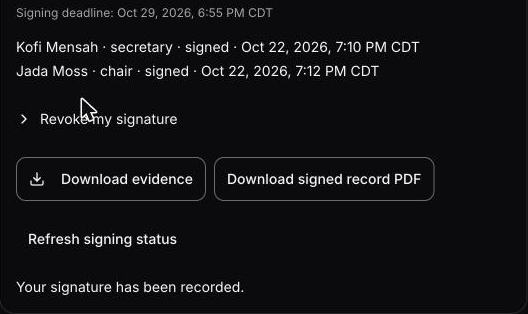
- The secretary signs first
- A different officer signs as chair
- Officers download the signed minutes
Identity checked
Each signer types their name, confirms their intent, and must have verified their identity by email link or passkey in the last 10 minutes. We record who signed, how they verified and when.
The exact text, fingerprinted
We save the exact text being signed with a SHA-256 fingerprint. If the minutes change, that request can't be signed and a new one is needed.
Linked in order
Signing, declining and revoking are added in order to the signing record, each linked to the one before, so a change to an earlier entry shows up when checked against an earlier download.
A sealed PDF
When signing is complete, the signed minutes PDF is produced once and sealed with Qwibie's own self-signed digital seal (not a certificate from a public certificate authority), and its fingerprint is recorded in the signing record file you can download with it. Every later download is that same file. The seal is not an independent timestamp.
Who's accountable
Qwibie is founded and run by Perry Price, and built by a small team working alongside AI agents.
- Every change is reviewed by someone other than its author before it ships.
- Every change passes automated checks, including tenant-isolation tests.
- Changes that touch sign-in, permissions, data access or data deletion also get a dedicated security review.
Certifications
We don't hold a SOC 2 report or other certification today. If your organization needs a security questionnaire answered or a DPA signed, ask us and we'll tell you exactly what we can commit to.
Engagement integrity commitment
When you email Steward, here is exactly what happens, and what does not.
What happens
- Your email is used only to understand what you asked and continue that conversation.
- A person from our team may reply, only within the scope of what you asked.
What we never do
- Add you to marketing lists, drip campaigns or newsletters.
- Build retargeting audiences from inquiry emails.
- Send unsolicited follow-ups or “checking in” messages.
If you become a customer
The commitment continues. You get only the product updates or notifications you explicitly opt into.
Governance infrastructure should earn adoption through product value, not outbound volume. This is an operational constraint, not a marketing claim.
Will Qwibie market to me if I email Steward?
No. Your data is used only to understand your request and continue your conversation. We do not run campaigns, build lists, or send unsolicited messages of any kind.
Questions about security or privacy?
Email us at [email protected]. Your email reaches the right person on our team, and replies come by email.
We don't market, advertise, or add you to any list. Read our commitment