Text messages from Qwibie:how members opt in
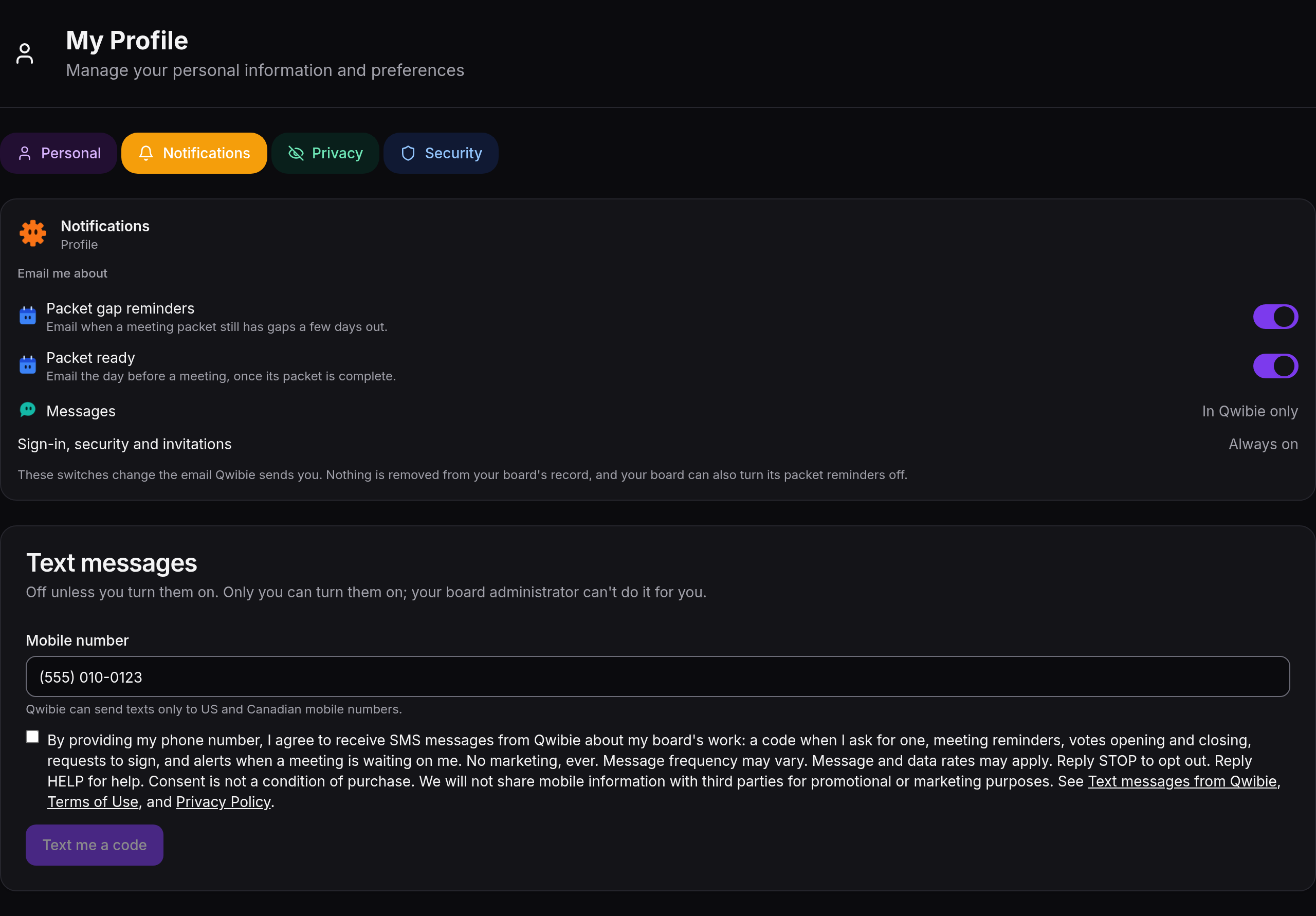
Members of nonprofit boards using Steward opt in from Profile, then Notifications, then Text messages, after signing in. Text messages are off by default, and opting in is optional. A member can turn texts on from their profile. Texts go only to members who opt in.
The card below is a preview of the in-app screen. The fields are disabled. This page does not send a text, save a number, or submit anything.
Text messages
Off unless you turn them on. Only you can turn them on; your board administrator can't do it for you.
Qwibie can send texts only to US and Canadian mobile numbers.
Confirm step
Sample wording from the screen. Nothing is sent from this page.
If that number can get texts, a code is on its way. It expires in 10 minutes.
What texts are for
Texts are transactional only, and they go only to members who opt in. A member who turns texts on can receive:
- A code when the member asks for one (to vote, or to confirm texts)
- Meeting reminders
- Vote links
- Signature requests
- Quorum alerts
No marketing.
Keywords
- STOP, STOPALL, UNSUBSCRIBE, CANCEL, END and QUIT opt out.
- HELP and INFO get help.
- START and UNSTOP opt back in.
Read Text messages from Qwibie, the Privacy Policy, and the Terms of Use.